Connect with people
looking for live music.
Fans can browse live events by date, area and genre. Alongside social promotion, create another way for music lovers in Japan and abroad to find your event.
DateAreaGenre

From promotion and ticket sales to check-in on the day.
Track sales by artist and keep your staff informed.
Manage your live events in one place.
01 / Reach more fans
From your social followers to people discovering live music, including visitors from abroad.
Create more ways for people to find your event.
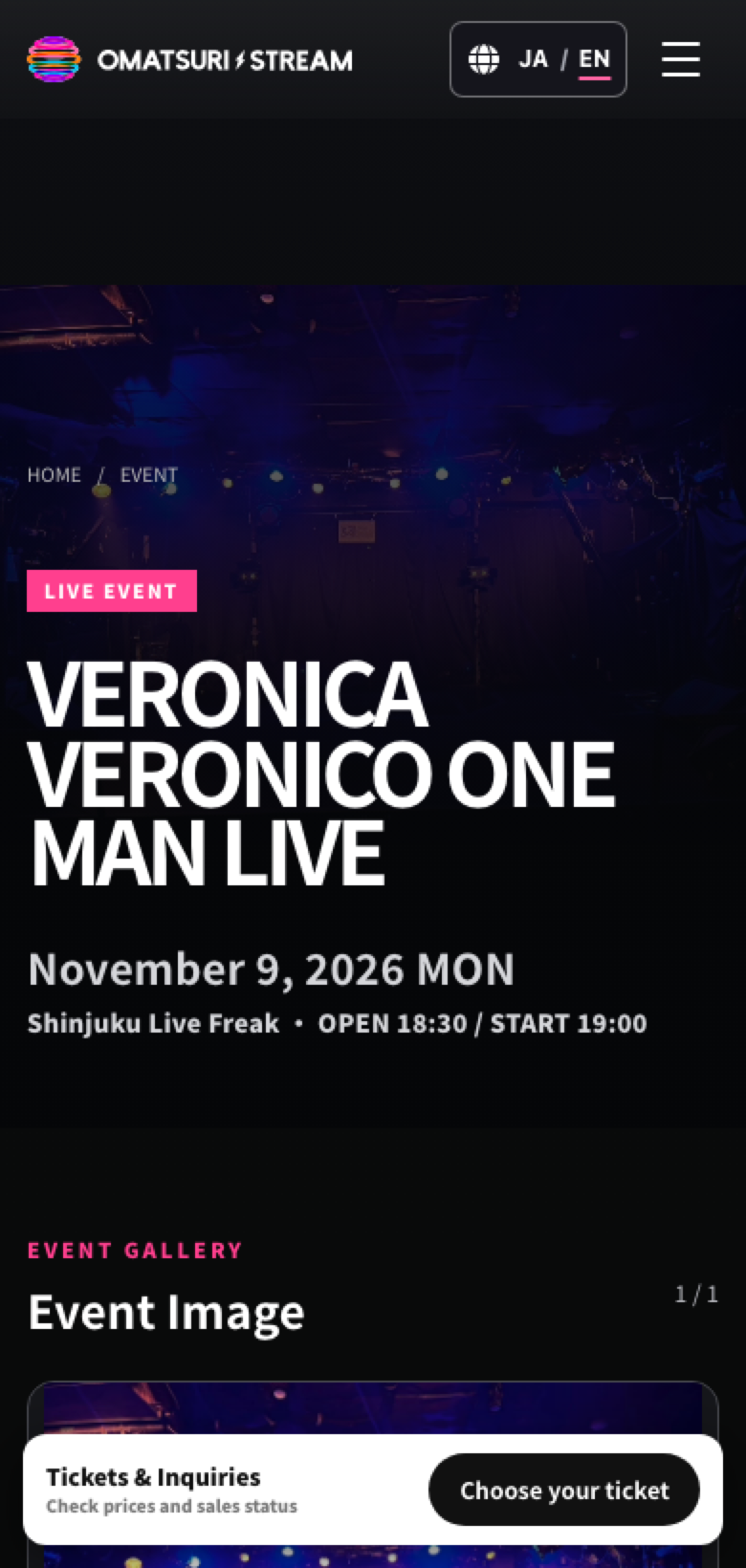
Fans can browse live events by date, area and genre. Alongside social promotion, create another way for music lovers in Japan and abroad to find your event.
Ticket sales support overseas customers too, helping people who want to enjoy Japanese music attend your shows.
02 / Simplify event management
Connected tools support you through sales, preparation and event day.
Spend less time on spreadsheets and guest lists, and more on your show.
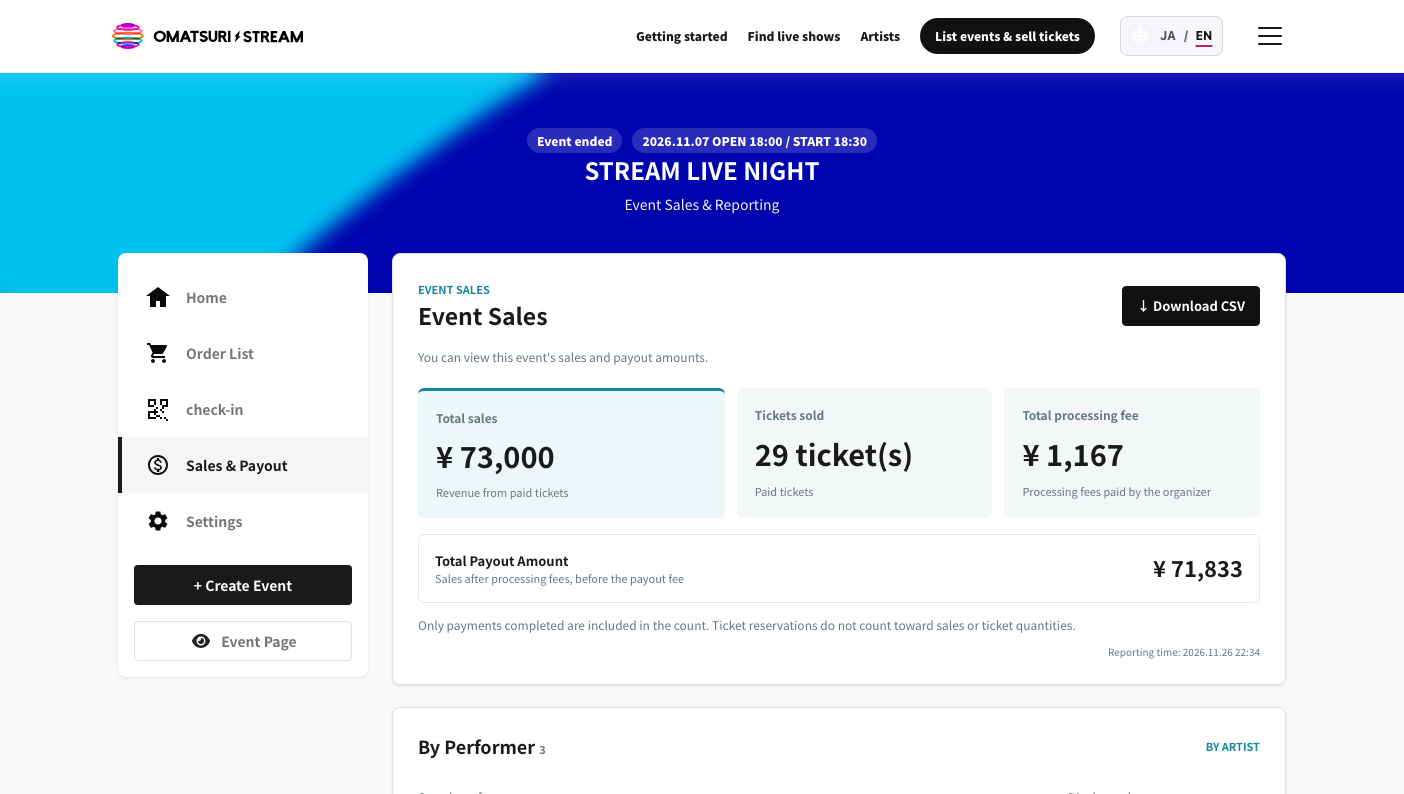
Automatically total sales by artist.
Sales are automatically grouped by the artist selected at purchase, making each performer's results easier to track without manual sorting.
Check sales and reservations in real time.
The real-time sales dashboard shows ticket sales and reservations, so you can quickly check last-minute demand and prepare for check-in.
Download your guest list as a CSV.
Download the guest list as a CSV to review in a spreadsheet or print for event day, saving time on preparation.
Check in by QR code, tap or PC.
Scan a ticket's QR code or tap its screen to check guests in. A PC browser also works, so you can choose the setup that suits your venue.
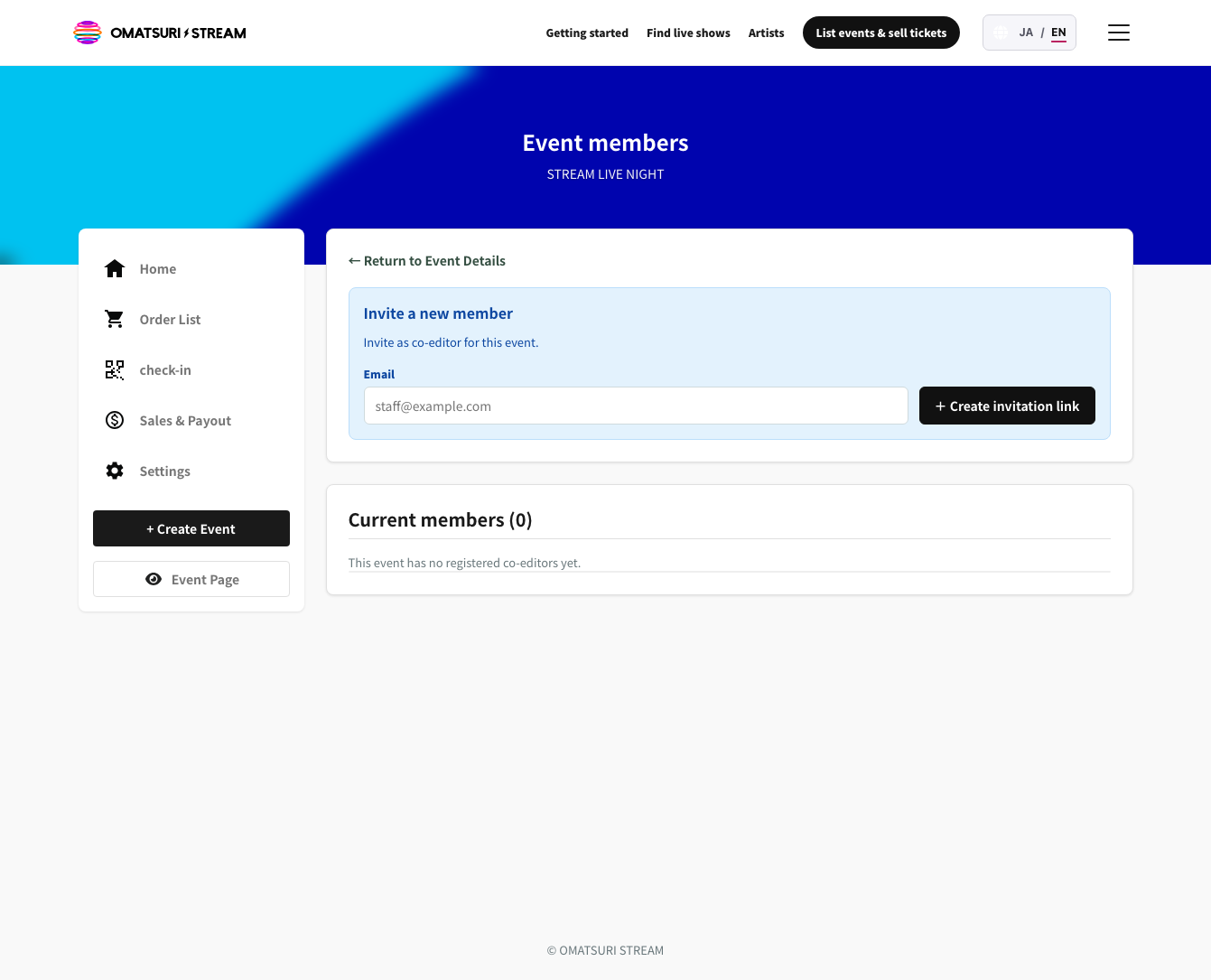
Share editing access or just the guest list.
Let collaborators edit the event or share only guest information with door staff. Give each person the information they need for their role.
Check sales and invite your team from the dashboard.
Pay-at-door reservationslet guests pay at the venue.Multi-day & festival passeslet you sell admission across multiple dates.
03 / Explore a listing
The excitement of the show and everything visitors need to know.
Together on one page, ready to share.
2026.08.15 SAT
Shibuya WWW
OPEN 17:00 / START 18:00
Advance tickets
¥3,500Buy ticketsPage preview / sample event
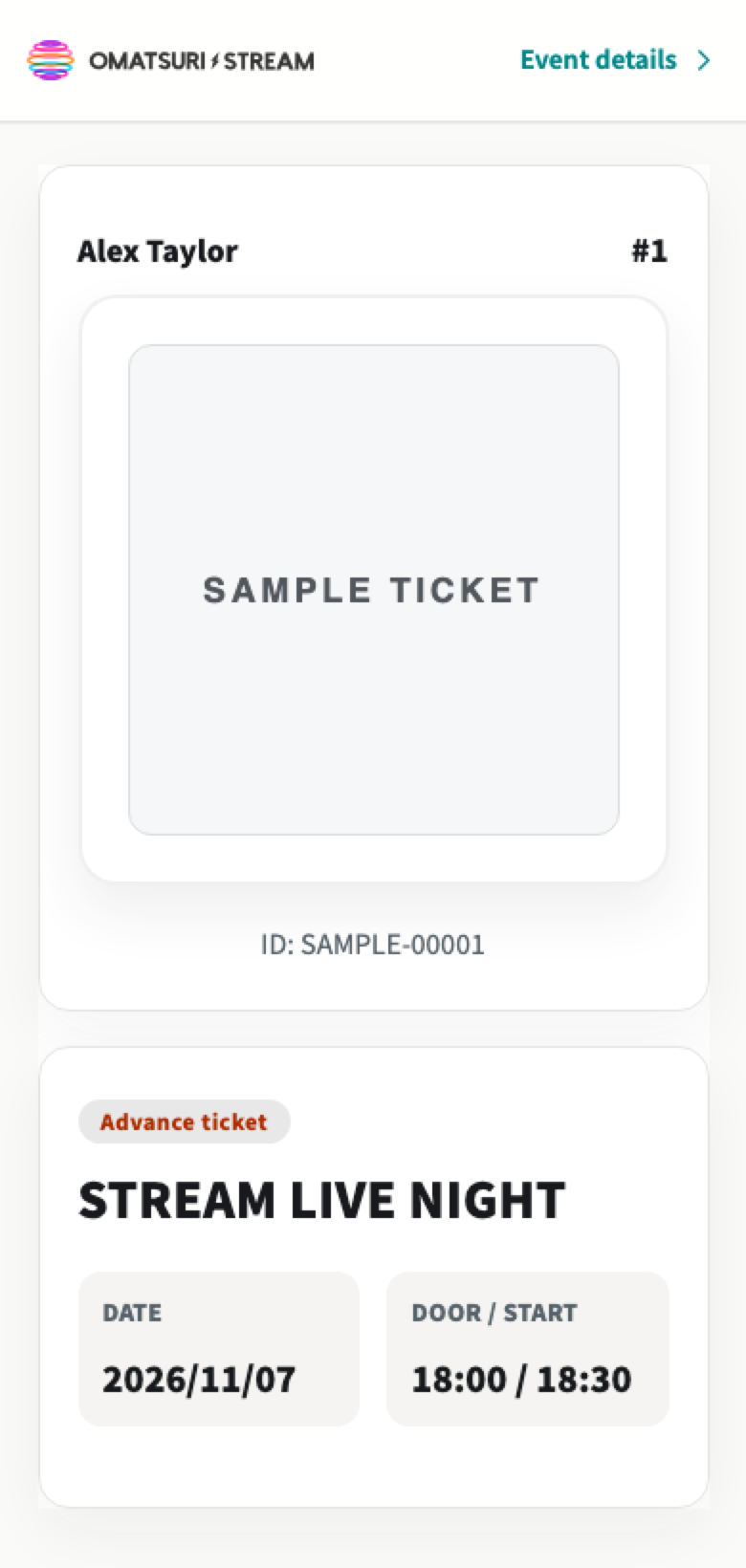
Choose a ticket on the event page and purchase online.
Receive your QR-code ticket by email after purchase.
Show your ticket on your phone for paperless QR-code check-in.
04 / Pricing
Use reservations for payment at the venue, or advance tickets for payment online.
Choose the option that suits your event.
For payment at the venue
Use the ticket reservation feature free of charge.
For payment before the event
When buyers cover the fee,organizer sales fees are JPY 0.
The organizer-paid option charges 3.9%.
JPY 0 refers to the organizer's sales fee. Buyers may pay separate service or payment processing fees.
View fees & payout terms05 / Get started
Once your event details are ready, register as an organizer.
Register your organizer details to start creating events.
Set the date, venue, lineup, ticket types and prices.
Share your published page on social media and start promoting your show.
Already registered? Sign in to your dashboard
FAQ
Your first listing,
with confidence.
Use the page preview link to explore a sample event page. No sign-in is required.
Reservations collect bookings with payment at the venue. Advance sales collect payment at purchase. Choose the method that fits your event.
Check in guests by scanning the ticket QR code, tapping the screen or using a PC browser. Export your guest list as a CSV if you prefer a printed copy.
See the pricing section above. For payout timing and bank transfer fees, visit theHelp centerfor details.
Track sales and reservations in the real-time dashboard. Sales are also automatically totaled for the artist selected at ticket purchase.
Yes, multi-day passes and festival-format ticket sales are supported.
Sign in to your dashboardto create and manage your events.
LET'S MAKE THE NEXT LIVE HAPPEN.
Take the next step toward new fans with OMATSURI STREAM.
List your eventAlready registered? Sign in